Building AGENCY OS: Best Beginner at the UCSC AI Hackathon
An eye-controlled AI assistant, a weekend of building, and a lesson in why people need to stay in control.
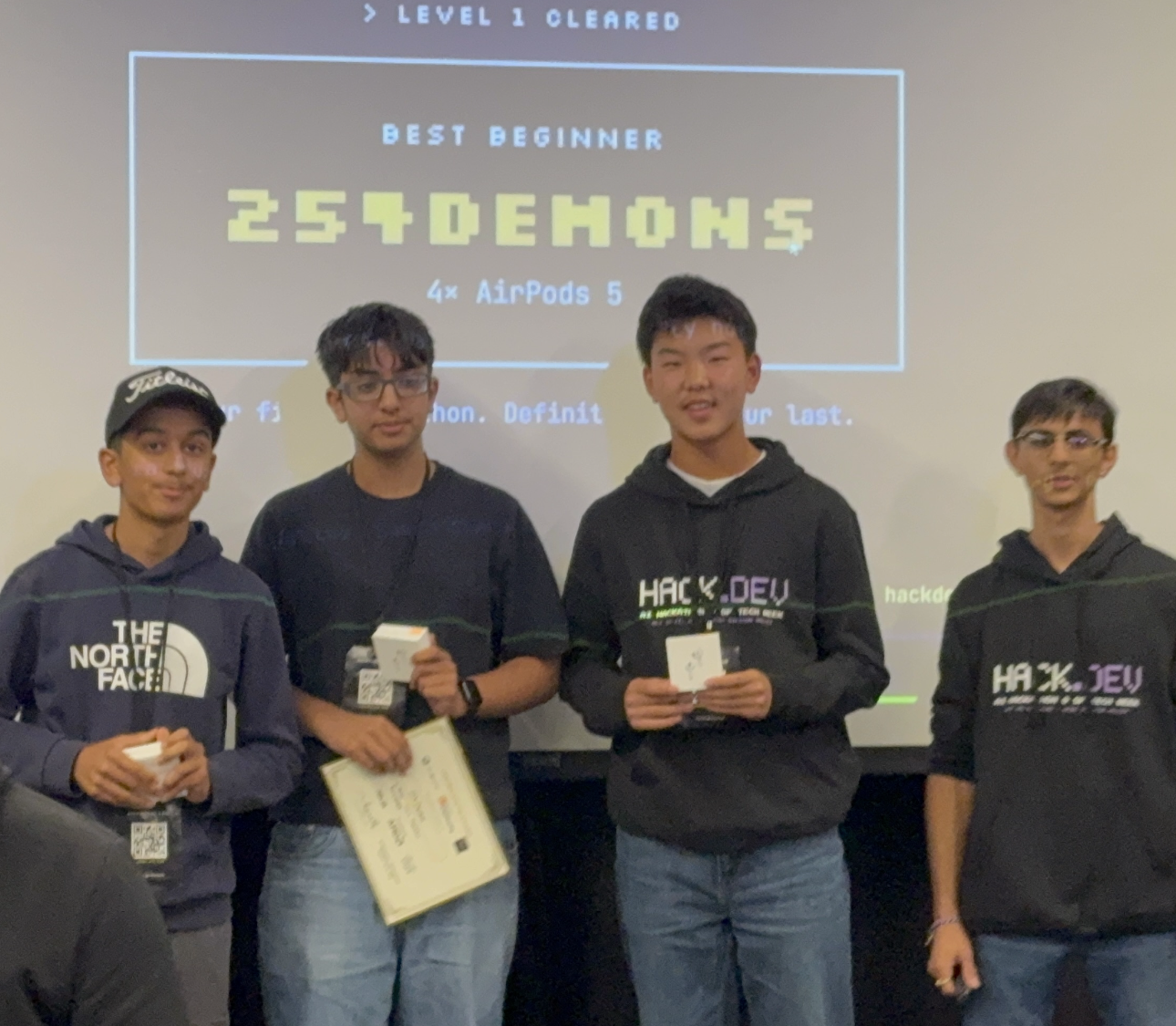
This weekend, our team won Best Beginner at the UCSC AI Hackathon with AGENCY OS: a project exploring how someone can operate an AI assistant using their eyes and an ordinary webcam. I worked on the backend.
In our presentation, we explained that the project grew out of a teammate’s family experience with ALS and the loss of everyday independence. The idea starts with a practical question: if an AI agent can use a computer for someone, how does that person stay in control when a mouse or keyboard is difficult to use?
Twenty-four hours to build
The event took place on October 10–11 at UC Santa Cruz’s Silicon Valley campus in Santa Clara. Organized by Hack.dev and co-hosted with the UCSC GenAI Center and Baskin Engineering, it brought students together to build and demonstrate AI projects across cloud, local, and physical AI.
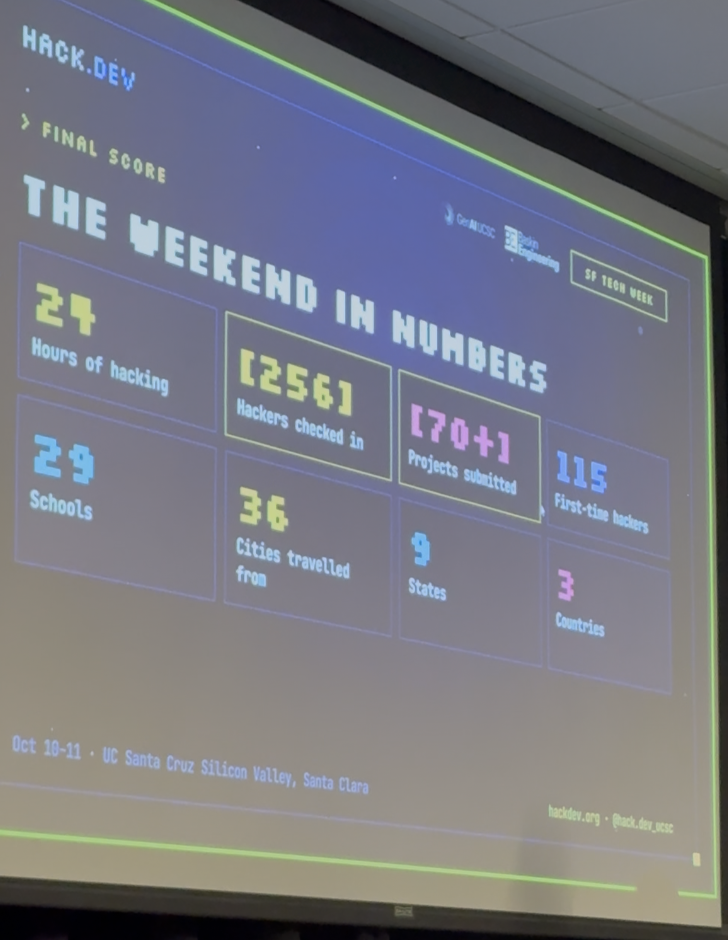
The closing presentation gives a sense of the weekend’s scale:
- Hours of hacking
- 24
- Hackers checked in
- 256
- Projects submitted
- 70+
- First-time hackers
- 115
- Schools
- 29
- Cities
- 36
- States
- 9
- Countries
- 3
Figures from the organizers’ closing presentation, shown below.
See the event statistics slide
What we built: AGENCY OS
AGENCY OS is a macOS prototype for people who have difficulty using conventional computer controls. A webcam tracks gaze, and the interface uses large targets and deliberate selections to let a person interact with an AI assistant.
The assistant uses Google Gemini for cloud-based planning, with a browser bridge and native helper connecting it to computer actions. In our presentation demo, looking at a tile for about three seconds selected it; a separate approval step followed. The demo walked through choosing food and asking the assistant to find an option. The person must explicitly approve consequential actions. An always-visible overlay keeps Help and Stop within reach.
The person’s ability to stop the system has to remain available even when the AI is not.
That principle runs through the project. The cloud model handles reasoning, but essential controls and built-in fallback workflows are designed to remain available when the network or agent fails.
My contribution: the backend
I worked on the backend for the project. In AGENCY OS, the backend is part of the coordination layer between a proposed task, the person’s approval, execution, and verification.
The system’s coordinator uses FastAPI and SQLite to manage plans, approvals, execution state, recovery, and memory. A separate help path, called Lifeline, is designed to raise an alert independently of the AI agent. In the current prototype, contact messages, calls, and emergency dispatch are simulated.
A routing layer above Gemini
We also explained the backend’s network-aware reasoning in our presentation. A routing layer called Synapse-Mesh sits above Gemini. It weighs the kinds of expertise a task needs and uses those weights to guide the model’s instructions; it is not a new foundation model trained from scratch.
Cisco IOS XE telemetry provides network-use and response-time signals. When the connection is healthy, the system can request its normal reasoning budget. Under congestion, it requests less reasoning and shorter responses. When the connection is unavailable, built-in workflows remain accessible while tasks that need the model wait.
We highlighted shared environments such as hospitals as a motivation for this design. That is an intended setting, not a tested deployment: adapting the AI workload does not establish clinical readiness or guarantee network performance.
A key safeguard is approval binding. When a person approves a web action, that approval is tied to a fingerprint of the specific page element and its context. Before clicking, the browser bridge checks the live element again. If it has changed, the action is refused. Approving one thing should not authorize the agent to do something else.
When one Stop became thousands
Our technical paper describes a particularly interesting integration bug. Stop could be triggered from several places: the overlay, the main interface, a keyboard shortcut, the browser extension, or the API.
Those surfaces were notifying one another when the system stopped. But one surface interpreted a “stopped” notification as another instruction to stop. That created a feedback loop: a single Stop generated roughly 12,600 stop invocations in one measured incident.
Stopping an already-stopped component was harmless by itself. The flood of messages was not: it consumed the resources that the Help control might need.
The fix was to give the trusted main process responsibility for coordinating Stop. Each surface sends a request to that one authority; overlapping requests share the same operation. The other surfaces receive a state update rather than a command to repeat. One user Stop then produces one coordinated fan-out.
The engineering lesson is concrete: safety controls need testing as a connected system. A button can behave correctly on its own and still fail through the way components communicate.
An award, and more work ahead
Winning Best Beginner was a milestone for our team. Alongside the demo, we wrote a technical paper explaining the architecture, the stop-amplification bug, and approval binding.
There is still important work to do. The paper reports developer-machine and automated-test results, not a study with people who have motor impairments. Gaze accuracy, usability, and fatigue have not yet been established with intended users. Real payments, calls, messages, and emergency dispatch are simulated, and the app is not yet code-signed or notarized.
The next step is to evaluate the prototype with the people it is intended to help, improve gaze reliability, and test the safety controls beyond the demo environment. AGENCY OS is a starting point for that work.
Thank you for welcoming freshmen
I’m grateful to Hack.dev, the UCSC GenAI Center, Baskin Engineering, and everyone who organized the event for welcoming high-school freshmen and giving us the chance to participate. As a ninth grader, being part of a weekend like this gave me exposure to ideas, projects, and approaches beyond my usual classroom experience.
The award was exciting, but the opportunity to learn mattered just as much. Working with my teammates, seeing what other participants built, and presenting our own project helped me connect backend engineering to a problem that matters to people. Thank you for making room for us to build, learn, and share our work.
Project & sources
- AGENCY on Devpost — our submission and project story.
- Source code on GitHub.
- Our technical paper on Zenodo — AGENCY OS: Gaze-Operated Agentic Computing with Fail-Safe Human Control, by Neil Gilani, Rayansh Bakshi, and Ryan Cho.
- UCSC AI Hackathon — event details.
Award and event photographs from the weekend. Event statistics are transcribed from the closing presentation. Technical details and prototype limitations are drawn from our paper, submission, and presentation.